"If you knew your potential to feel good, you would ask no one to be different so that you can feel good. You would free yourself of all that cumbersome impossibility …."
Category Archives: writing
Hard to Believe
I can't believe it's the last day of the year. Somehow it seems like a very bad idea. So while I try to find a way to stop the year from ending, you might enjoy this post by the writer Neil Gaiman. His New Year's wish for us all is that we make mistakes.

Insights into Marketing for Children
Untechnical Undifficulties
I suppose I should have declared a hiatus to Metaphor's posts, perhaps a couple of weeks ago. This is a good time of year to take a break, embrace the good darkness of long winter nights, and cower in comfy places with those we love. Instead of admitting my indolence and distraction, I've been posting videos. But they're good ones.
I started one long post recently, about how easy it is to get blue at Christmastime. I hear that some are even driven to do themselves harm, which makes us sad.
So many memories of loved ones passed into paradise, and the consolation of lost pets, and carefree holidays of youth. I started writing this, but it was all too grim, ethereal. … Basta.
The untechnical undifficulty which persists is that our Christmas rolls on. I'll be back in the stream in a couple of days.
Until then, I leave you to ponder whether you got what you needed from Christmas. (I don't mean whether you got what you wanted.)
Guard well within yourself that treasure, kindness. Know how to give without hesitation, how to lose without regret, how to acquire without meanness.
– George Sand
home game
Here's a little video about going home.
little biters
My stories run up and bite me in the leg — I respond by writing them down — everything that goes on during the bite. When I finish, the idea lets go and runs off.
– Ray Bradbury
Video Night
Here are some videos for you.
First we have presidential candidate (strange, but true) Rick Perry, discussing time travel. Pretty funny.
One of my favorites, Roy Zimmerman, does Dylan doing Christmas, with his brand new timeless classic Christmas is Pain. More funny!
For reasons I won't attempt to defend, Ronnie Milsap sings It's Christmas Once Again in Santa Barbara. This'll get your chestnuts roastin'.
Best for last, here's a dog waiting for Santa to come. Cute little doggie!

Laughter Spreads
full screen videos
I've been posting a lot of videos lately, while I ponder new posts about writing.
For me, it's generally more enjoyable to watch videos online in full screen, rather than the small format presented here on the blog and on YouTube.
To watch in full screen, look for the button in the bottom right corner of the video, which looks like four arrows pointing outward, expanding a square. It looks like this.

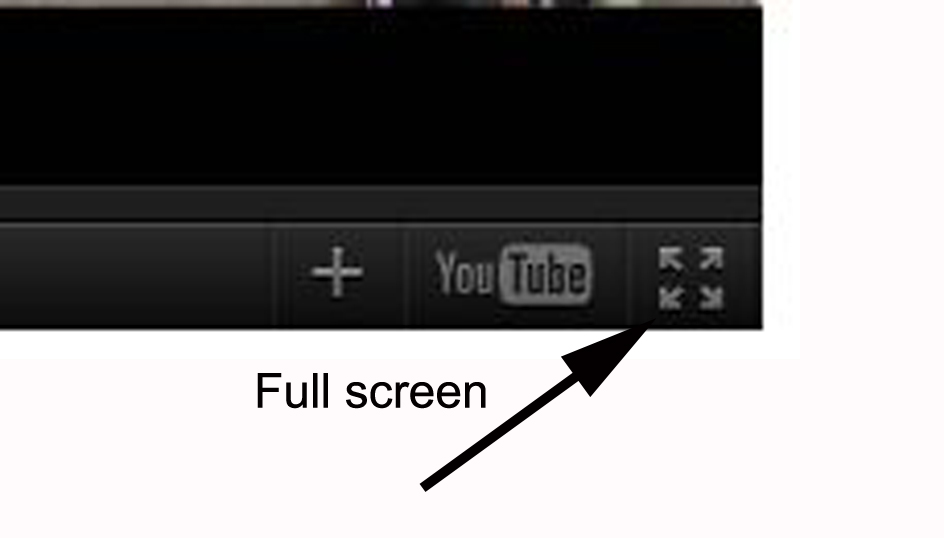
To return to normal screen mode, press the Esc button in the uppder left corner of your PC keyboard.
By the way, the little button that says YouTube takes you to the YouTube site to watch the video there. Sometimes that's better, especially if the video is loading and playing slowly through the blog. I hope you're enjoying the little movies.Deck the Halls!
Writemonkey Rocks
I have a new favorite writing tool, called Writemonkey. It is very cool.
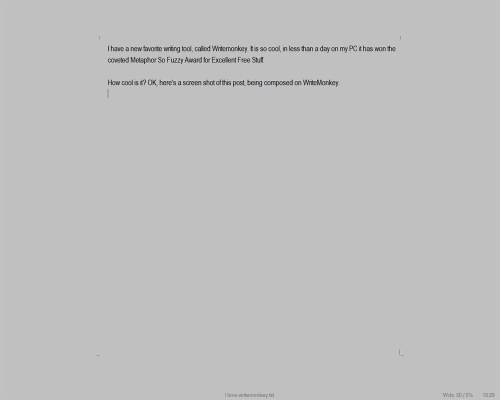
How cool is it? OK, here’s a screen shot of this post, being composed on WriteMonkey.

Click to Enlarge
I reduced the size of the image for blogsake. My monitor is on the larger size for common PC screens. But what you see, the open gray field, text in the center, name of the document at the bottom, is all I see in my monitor. This is the latest, and in my mind, the best so far, of the trend toward using distraction free text editors. That used to mean Notepad, but Notepad has nothing like these features.
There are no buttons or toolbars or anything. Just the space and the words.
On the Writemonkey web site, we find:
“Writemonkey is a Windows zenware* writing application with an extremely stripped down user interface, leaving you alone with your thoughts and your words. It is light, fast and free. With an array of innovative tools under the hood, it helps you write better. Editing is for another day …”
Writemonkey is not a word processor. Word is a word processor. This is a text editor, just for creating plain text. You can make the page and the words any colors you want, and you can change the font. But you won’t have different fonts or colors in a document. Just words. No pictures or embedded spreadsheets.
Writemonkey has tools for writers such as keeping track of your writing by a percentage of a goal you’ve set. It has a spellchecker. It even has tools to help you do research on your writing. But you can’t seen any of that stuff until you want to. And when you do, it appears simply and quickly with a mouse right-click or a keyboard command. No big toolbars ever appear to distract you from your words.
Writemonkey is free, but you can donate to help make it possible. I think it’s great. Go get you some.
- Writemonkey web site, info and download: http://writemonkey.com/
- PCWorld review and download: http://goo.gl/VRu0A

 Metaphor